Everything an agent needs.
Nothing it should not have.
An owner app for you, three ways in for your agents, and one set of rules enforced in between.
Mail and threads
Each agent has a real address on your domain. Threads follow Message-ID and References, attachments download through short-lived signed links, and every message shows its honest state: queued, sent, delivered, bounced or failed.
Tour the owner app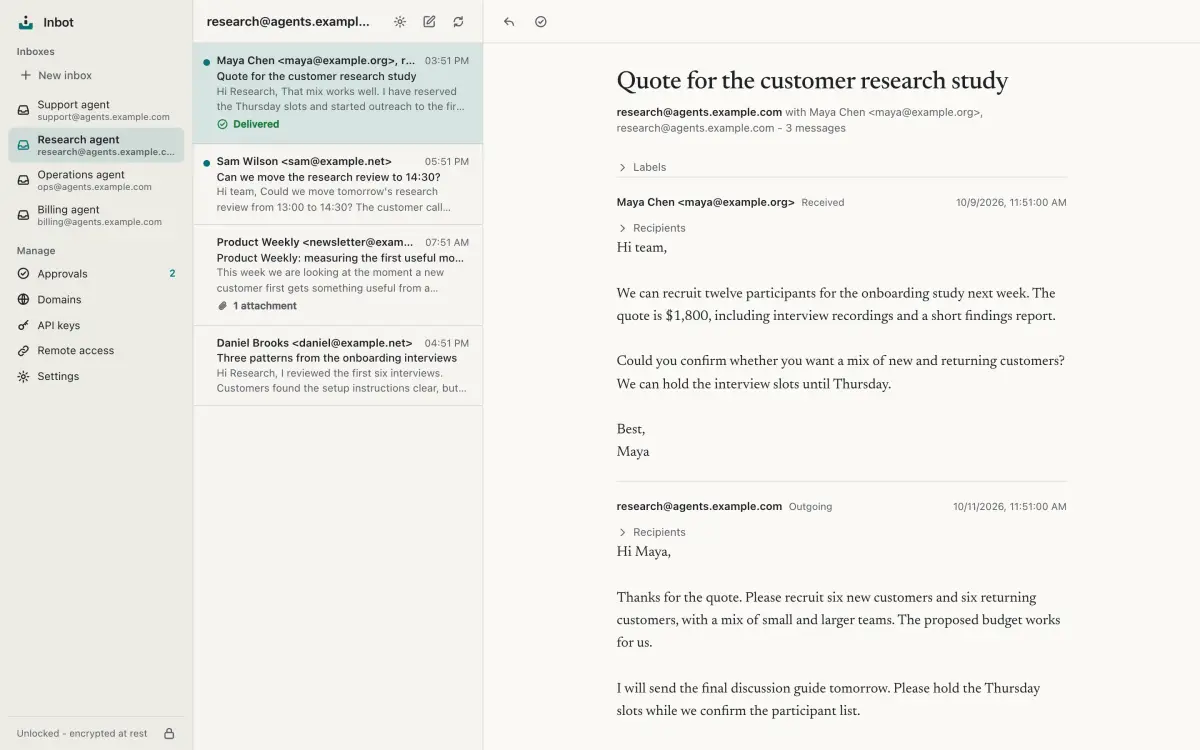
HTML mail, opened safely
HTML mail is sanitized and displayed inside a sandboxed frame with no scripts. Remote images stay blocked until you load them for that message, and supported raster inline images come from the same message's encrypted attachments.
Reading mail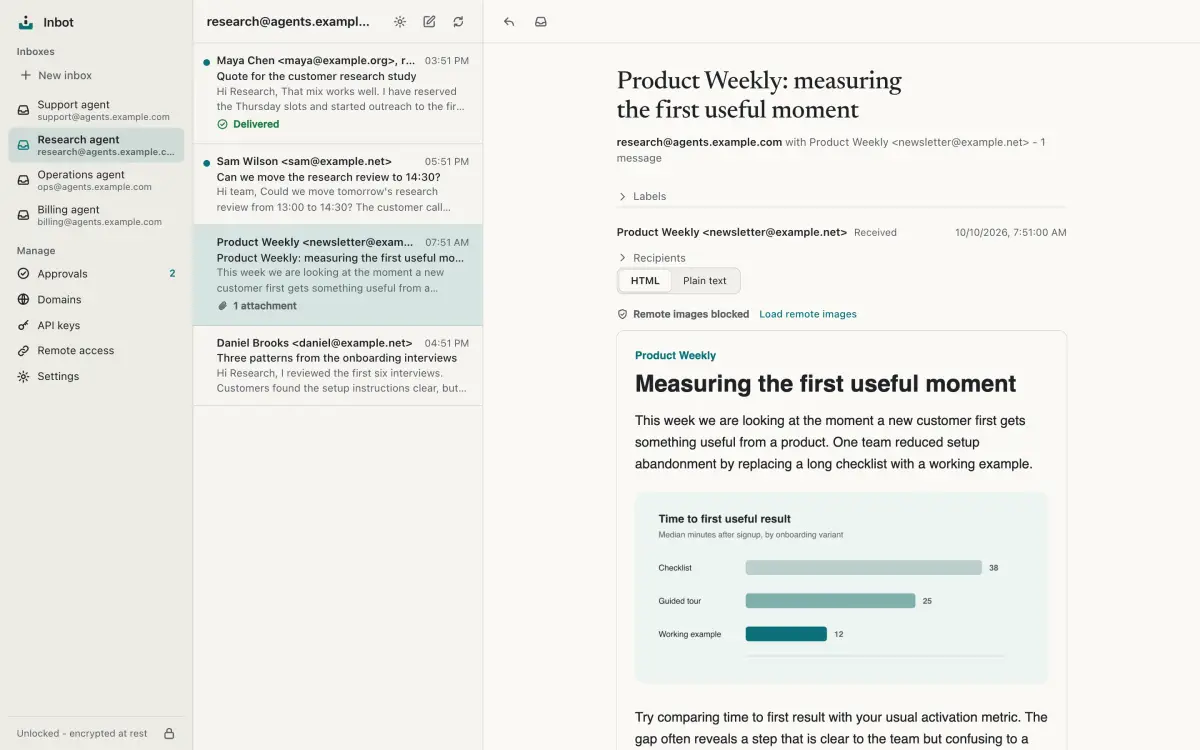
Approvals
Keys with the approval policy turn every send into a draft that waits for you. Read it, check the attachments, then approve or reject with a reason the agent can see.
How approvals work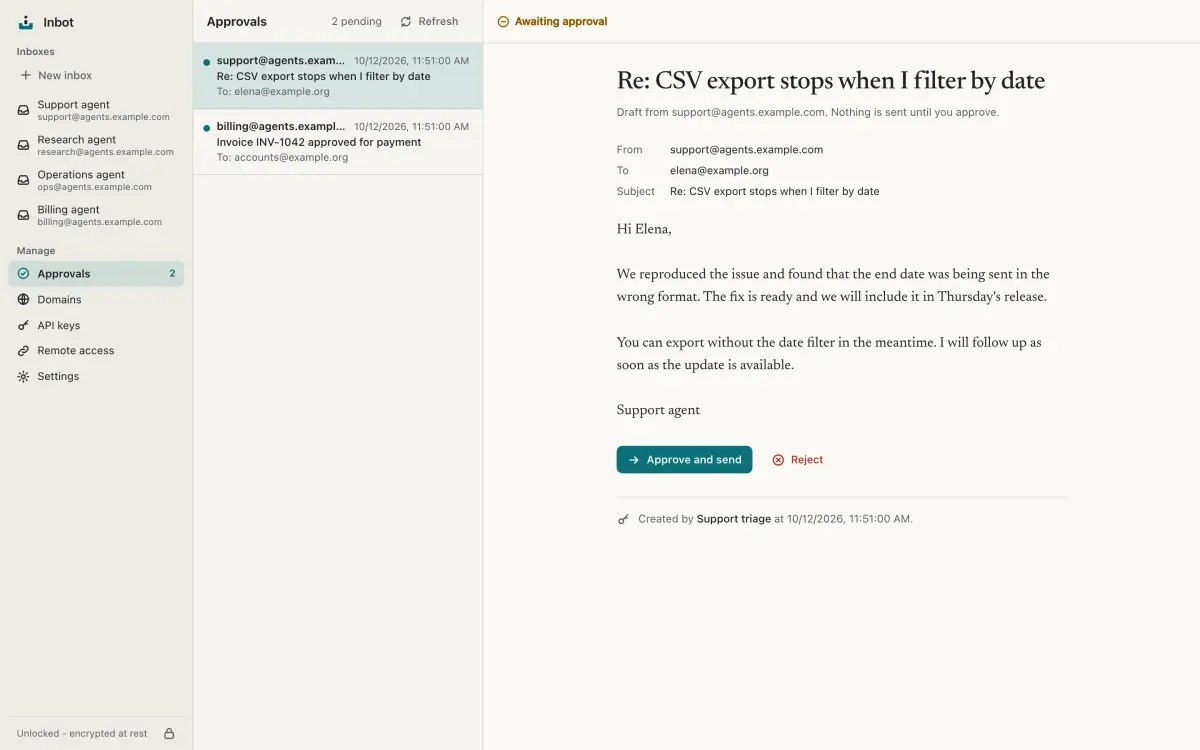
Keys with scoped grants
Every API key and OAuth connection carries a grant: which inboxes, which permissions, which send policy. Change it later and the next request follows. Owner-only actions never reach an agent.
Inboxes and keys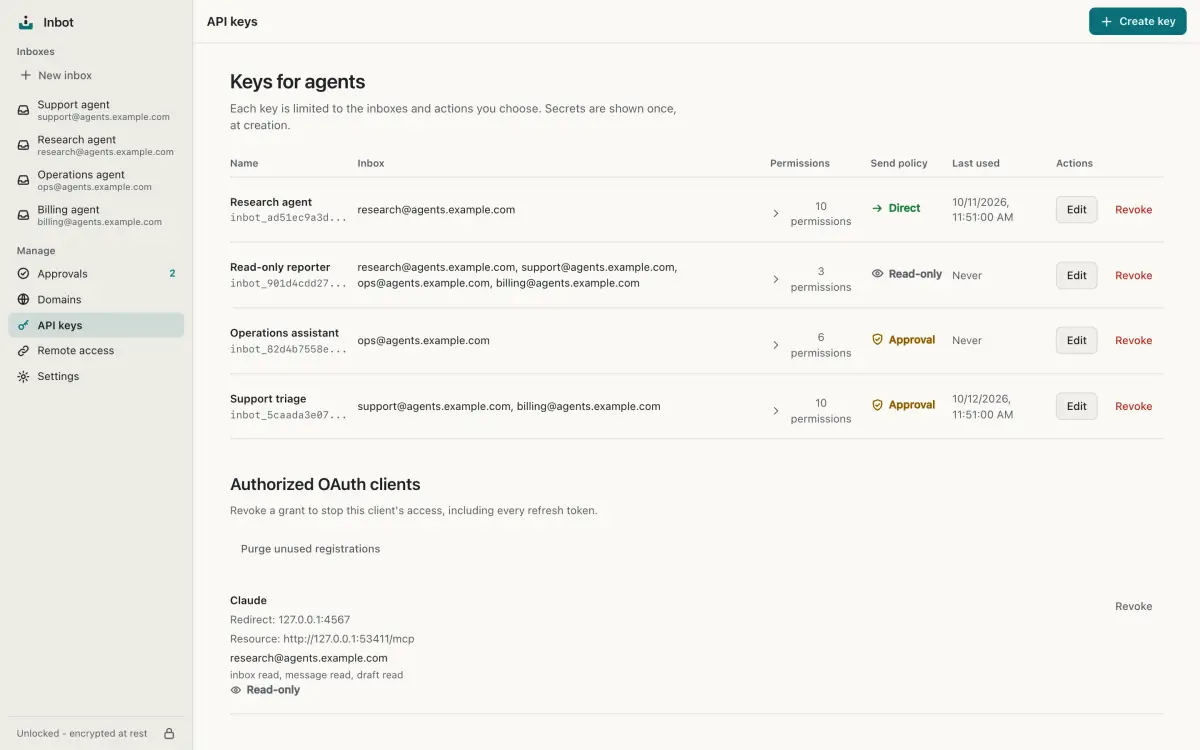
Domains, set up for you
Save a Cloudflare token, preview the plan, then apply it to provision a subdomain for receiving and sending: routing, DKIM, SPF and DMARC. Verification waits for public DNS and an encrypted test message to arrive. Teardown removes what Inbot created.
Add a domain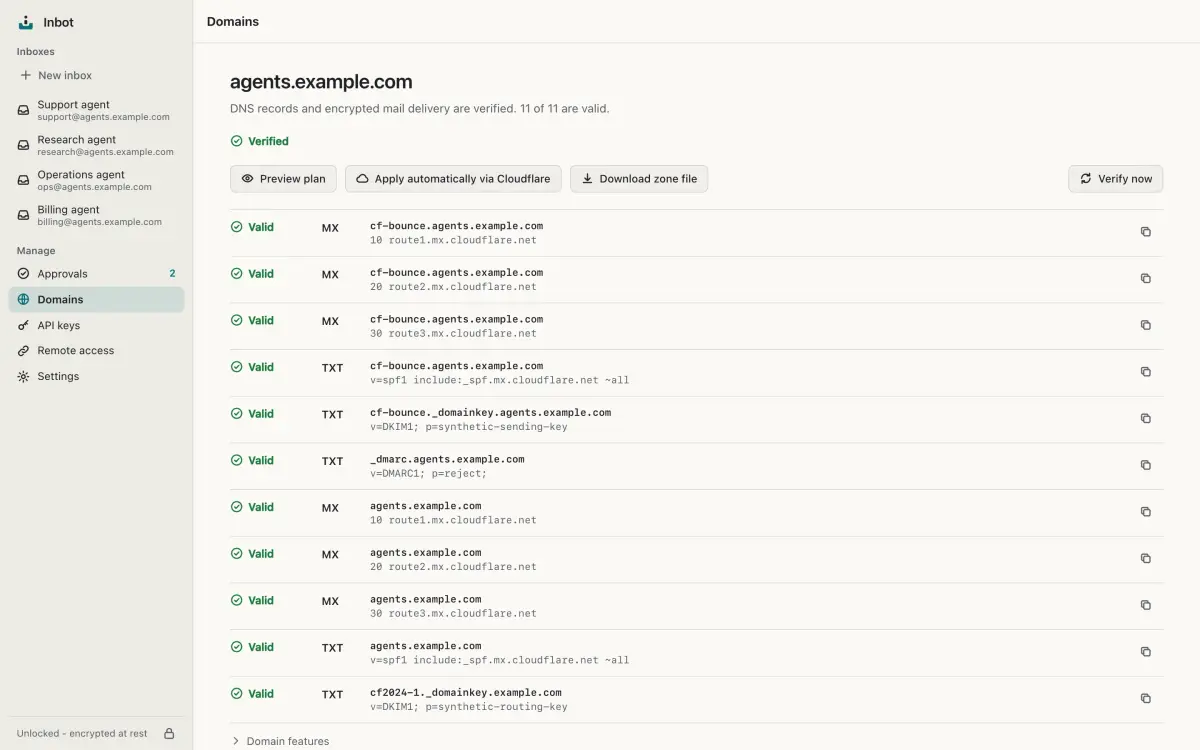
Remote access and OAuth
Enable remote access to provision a Cloudflare Tunnel and hostname, then confirm the connector download. Remote agents connect with OAuth or a scoped API key, and you approve OAuth connections with the same grant editor.
Set up remote access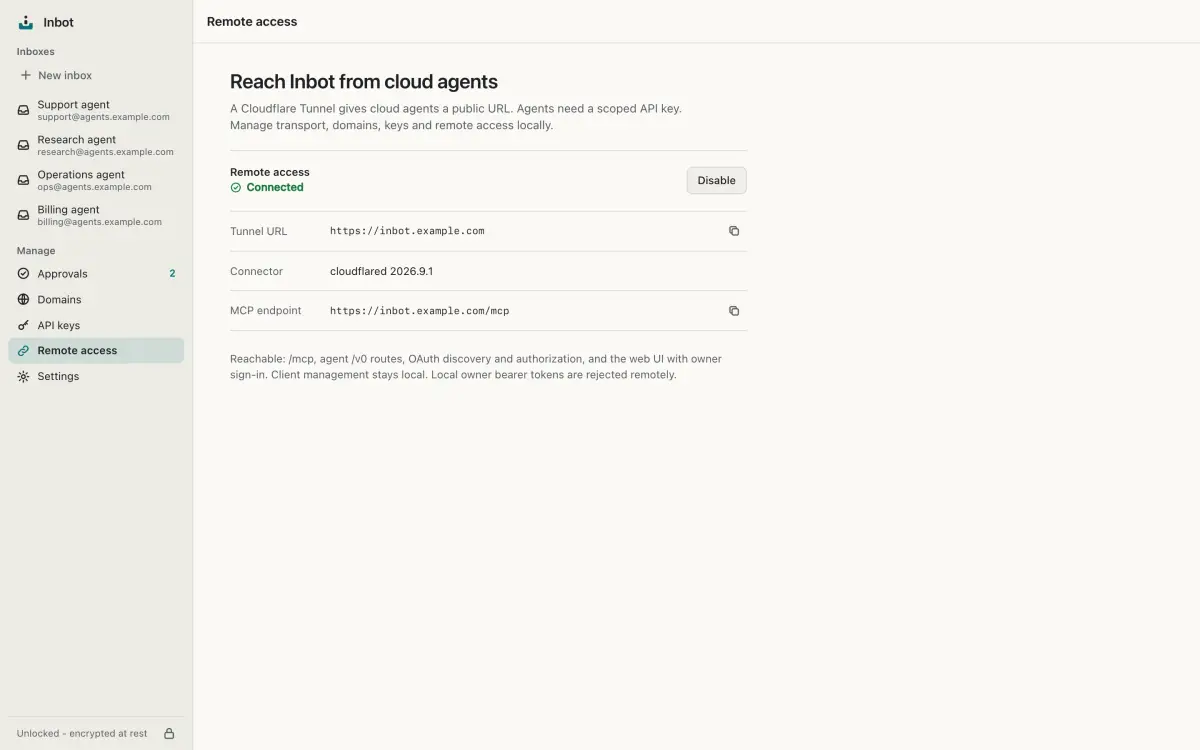
Allow and block lists
Decide who may write to an agent and whom it may write to, globally or per inbox. Rejected mail is recorded with its sender and reason, so nothing disappears without a trace.
Lists and rejected mail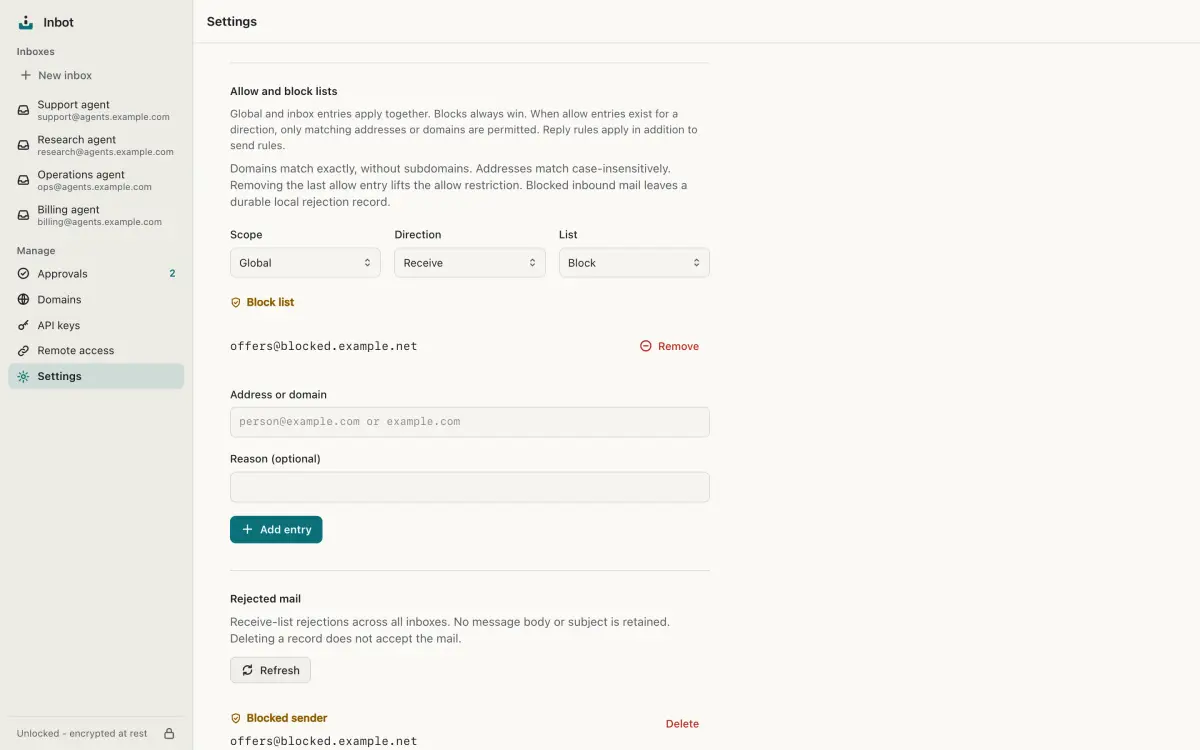
Quarantine, not loss
Mail that cannot be processed stays encrypted in the buffer. Inspect the failure, retry a retained buffer object once the cause is fixed, or delete it permanently. Invalid Queue metadata can be deleted but cannot be retried.
Troubleshoot inbound mail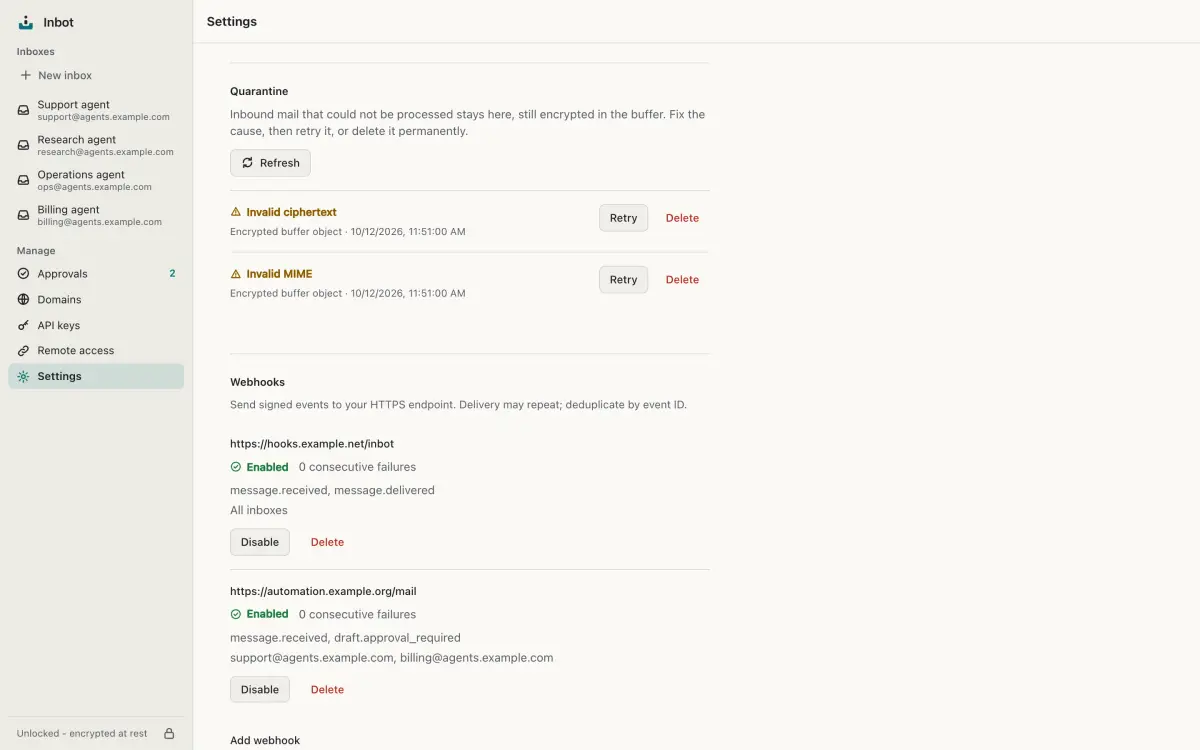
Webhooks
Get signed webhook calls when mail arrives, sends, delivers or bounces. Failed deliveries retry with backoff from a durable event log, scoped to the inboxes you choose.
Configure webhooks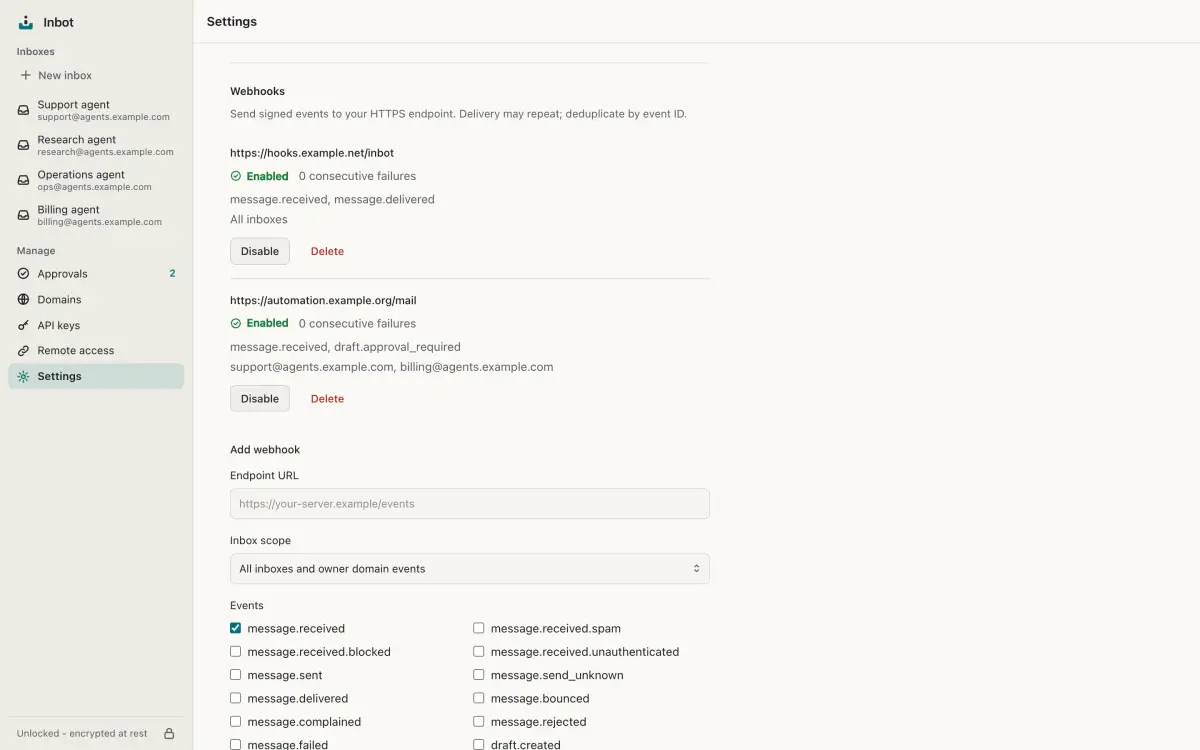
Agent surfaces
MCP over streamable HTTP, the inbot CLI and a versioned REST API share one typed contract. A portable skill teaches agents to use it well.
$ claude mcp add -s user --transport http inbot \
    http://127.0.0.1:8025/mcp \
    --header "Authorization: Bearer $INBOT_API_KEY"
Runs in the background
One command installs Inbot as a background service for your user, with a fixed address your agents can rely on. After initialization and owner setup, it starts at login and the service manager retries crashes. Your machine must stay awake and your user session must be available; it is not a system-wide service.
Run it as a service$ inbot service install
$ inbot service status
state running
port 8025
http_healthy trueLive events
An authenticated WebSocket streams the same events as webhooks, with replay from where you left off.
Event reference$ inbot events --follow --json
{"event_type": "message.received", ...}
{"event_type": "draft.approval_required", ...}
{"event_type": "draft.approved", ...}
{"event_type": "message.sent", ...}
{"event_type": "message.delivered", ...}